
2. Infrastructure Setup
Prepare concept registry data storage with GitHub as repository hosting provider. Intended for registry managers without technical knowledge.
If you don’t have a GitHub account yet, navigate to github.com and sign up (it’s free).
1. Initializing the repository
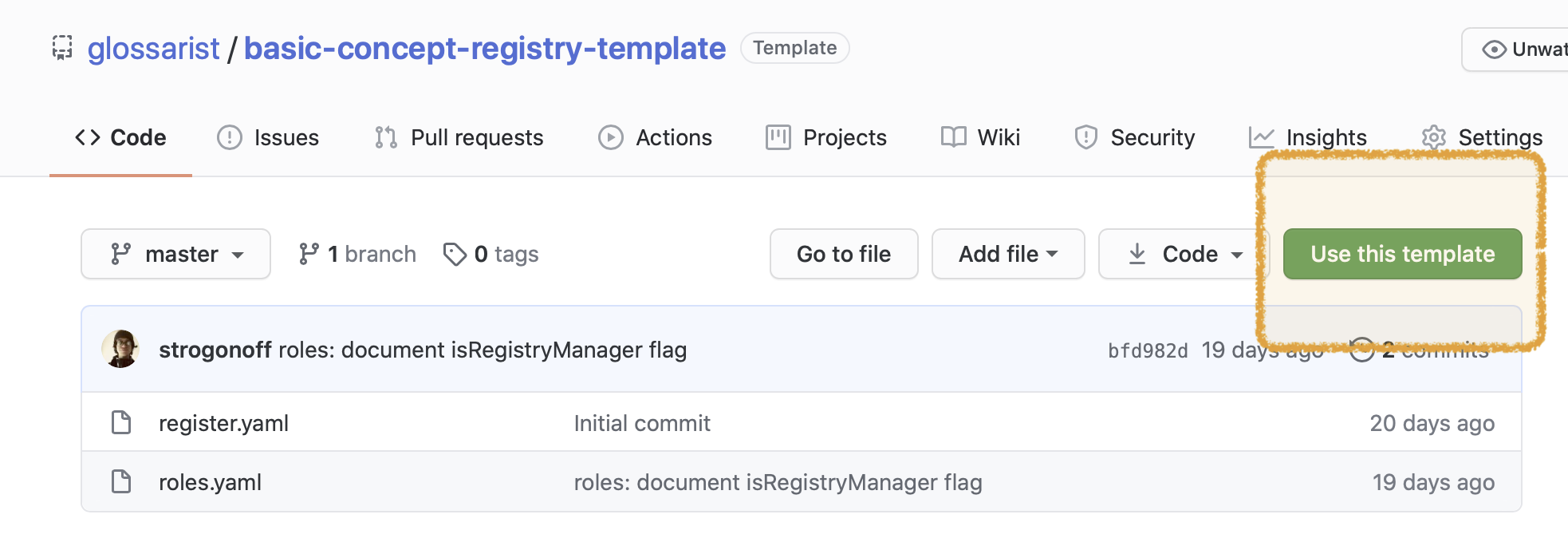
On GitHub, open the Glossarist concept system template repository, and use the template to create a new repository (see “Use this template” button).
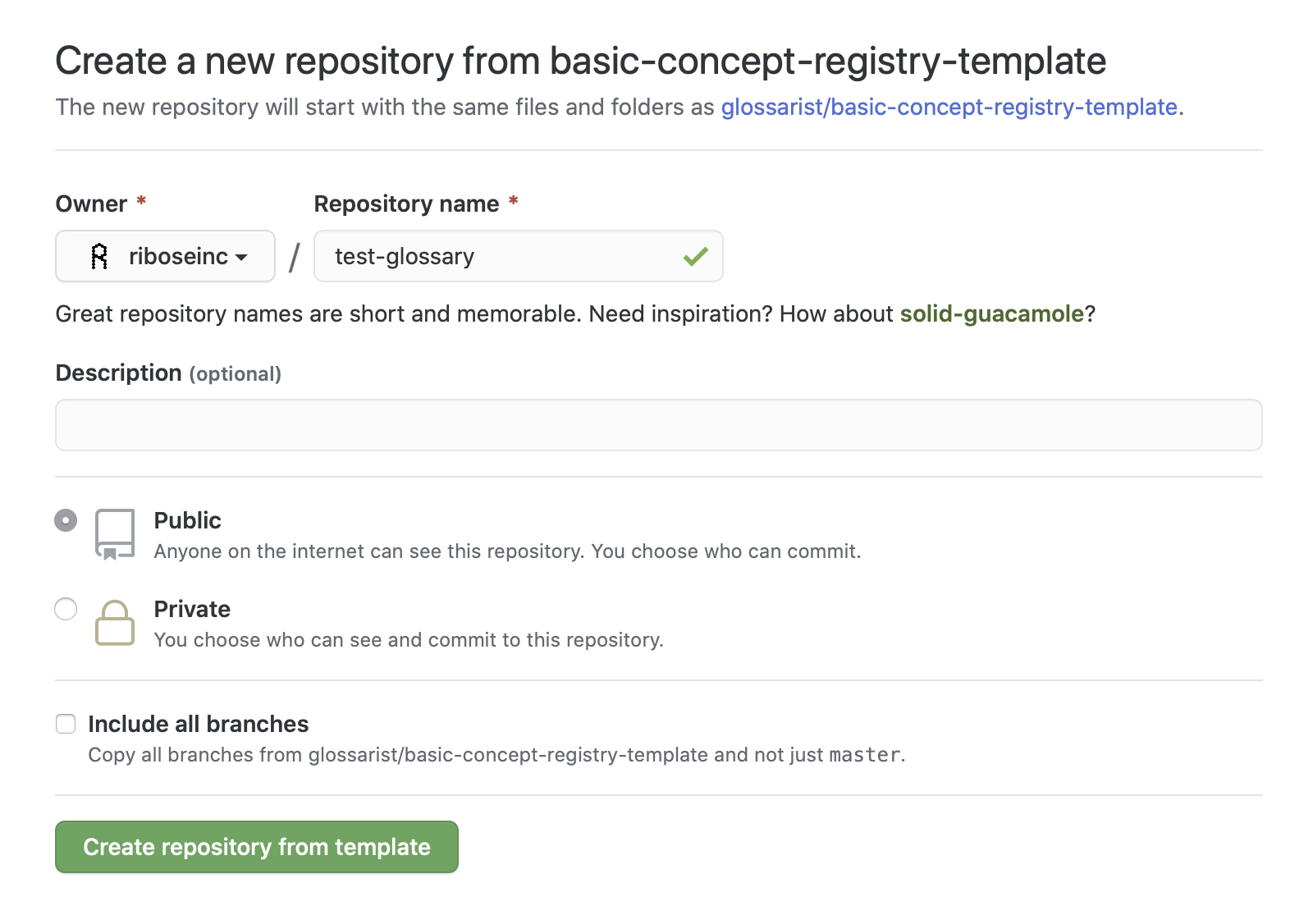
After filling in the basic settings, click “Create repository from template”.
You will be redirected to your new repository page.
INFO
Take note of your repository URL in the form of https://github.com/<username or organization>/<repository name>. It will be needed to set up Glossarist Desktop app.
In our example, a glossary repository called test-glossary is being created under organization riboseinc.
2. Filling in register metadata & roles
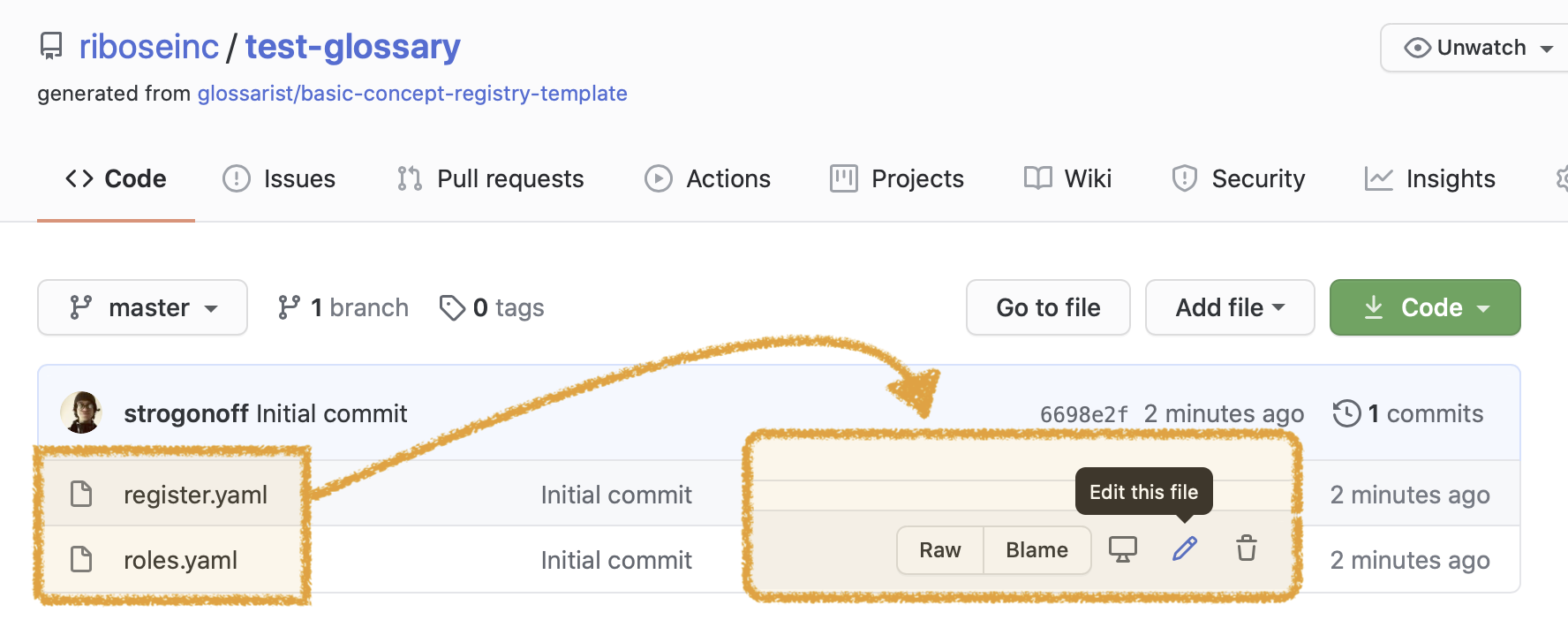
After creating the repository from template, edit register metadata and roles. You can open those files for editing from the GitHub page of your repository.
Register metadata
Edit register.yaml and see comments inside the file. This file contains the name and description for your register, and list of supported languages as 3-letter ISO 639-2 T language codes.
Roles
Edit roles.yaml and see comments inside the file. This file specifies which GitHub username has which roles.
- As a person who maintains the infrastructure, you are a registry manager.
- As a person who coordinates the vocabulary and review change requests, you are a register manager.
3. Setting up contributor access
(Skip this if you are the only contributor for now. You can revisit this part later when collaborators join you.)
INFO
Every collaborator would be required to have a GitHub account of their own.
-
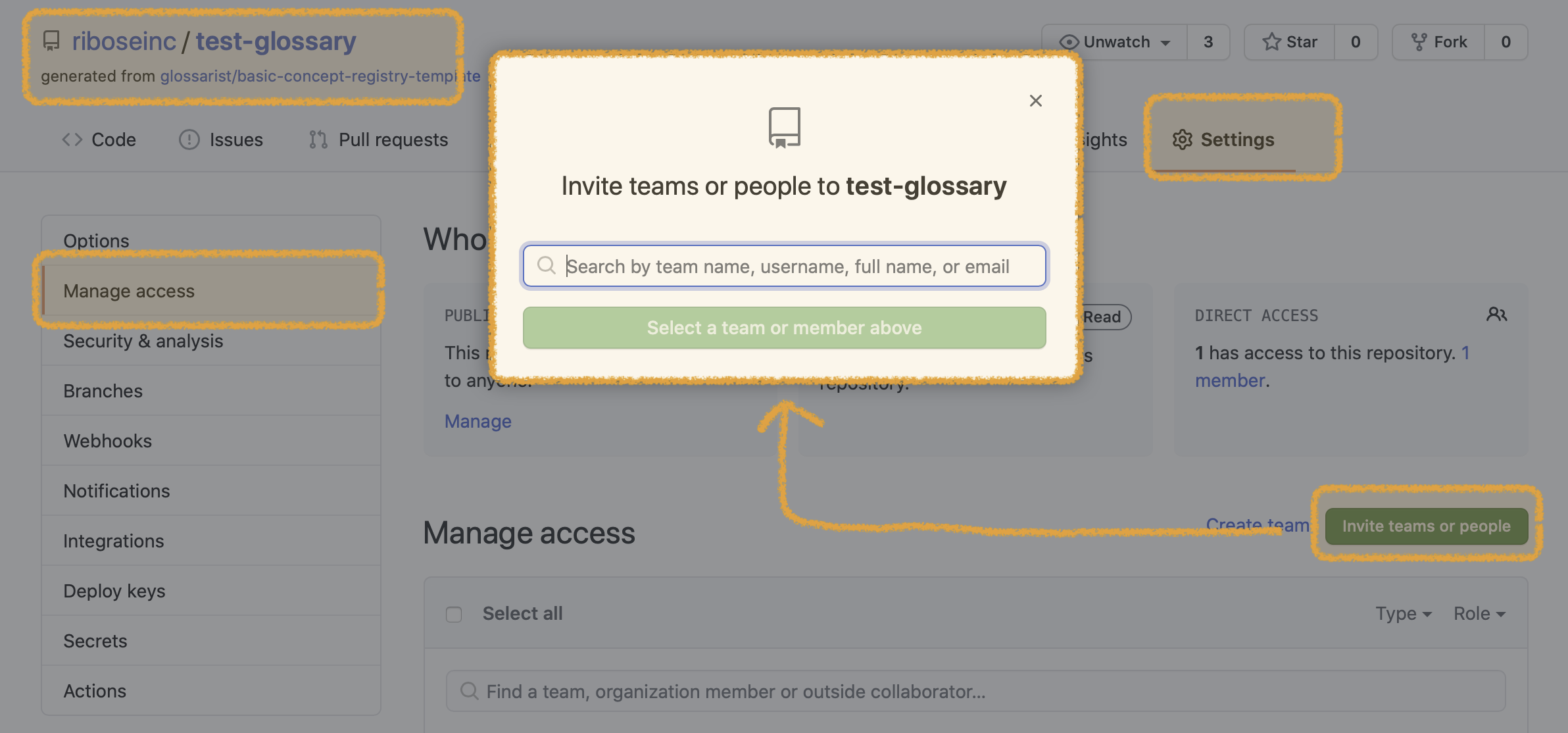
Invite GitHub collaborators to the repository you’ve created. Navigate to your repository’s access settings page on GitHub and use the button that will be labeled either “Invite collaborator” or “Invite teams or people”. Each collaborator you add must have at least “Write” role specified on GitHub.
-
Let your collaborators know the repository URL necessary for desktop application setup. The URL will be in the form of
https://github.com/<username or organization>/<repository name>. They will enter it when setting up the app.
Next
- If you have existing concept database to convert to Glossarist, see Migrating existing terminology data
- Otherwise you might want to get started with the desktop app